Today a friend I’m coaching made a comment about how a run of theirs “Felt good. Maybe a bit too fast for an easy run but still below tempo”. I had to remind him that an easy run is where you feel good about it.
Offhadedly I invented a scale of how I want him to feel after various types of runs:
Run type
The feeling I hope to inspire
Easy
Felt good, want to bring these vibes with me
Tempo
Absolutely knackered, I will collapse after I stretch
Efforts
I am in agony, and I want other people to feel this pain
Long
I want to end it all so this will stop
Yeah, it’s glib, but if you’re walking away from an effort session and your cardiovascular system isn’t crying out for revenge you’ve failed.
tl;dr the swipe based interactions on the Phone App for modifying incline on treadmill workouts is not safe and needs to be reimagined, ideally with a calculator button-style instant incline set option.
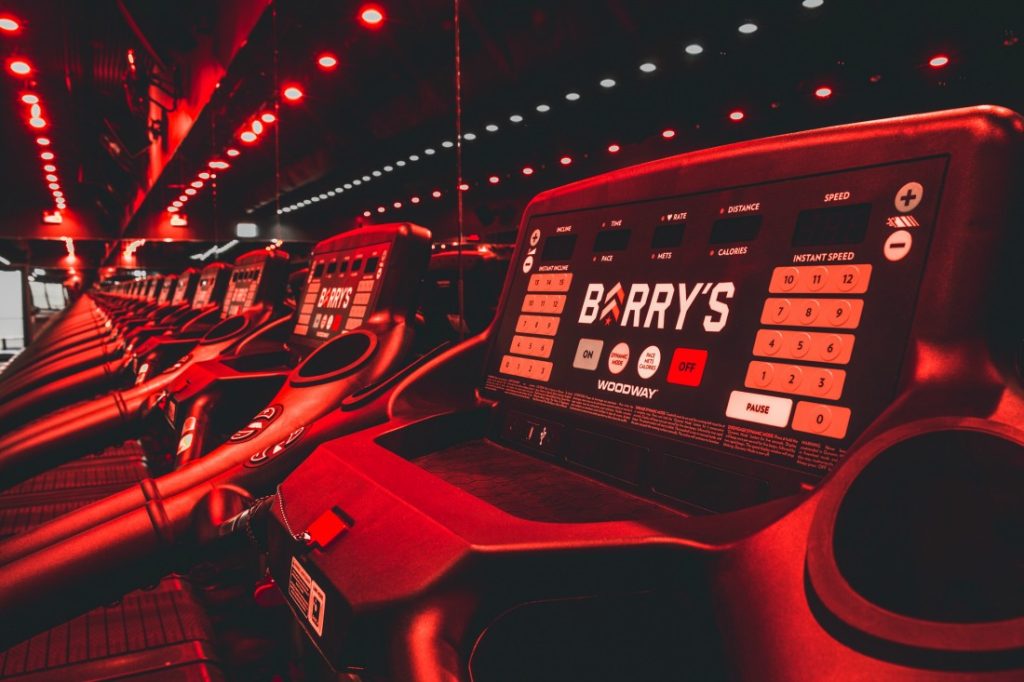
Background: A lot of my running at the moment is within the confines of a HIIT class (Barry’s Bootcamp), mainly to address my resistance training and improve core stability. Approximately half the class is on a treadmill regardless. The Treadmills are a Woodway make, and their user interface looks like the photo below. Speed on the right (miles per hour), incline on the left (percentage incline). There are also ways of modifying each single-press speed change by 0.1 units in two locations on the treads.
Just to describe how to use the interface. You press 5 on the left side (Numbers are 0, 1, 2, 3, 4, 5, 6, 7, 8, 9, 10, 11, 12, 13, 14, 15), the treadmill blinks into action and begins increasing or decreasing the incline to the desired percentage incline. If you press 10 on the right side, the treadmill begins increasing or decreasing the speed to 10 miles per hour (Buttons are integers 0 to 12). A single button press is all that is required.
Here’s what it looks like with the swipe interface on using the Stryd app on iOS.
At timestamp 1:40 my troubles really become apparent where I’m belting out the speed (sub 4 minute kilometres on an incline), but having to fight with the interface. Tapping the down button risks you swiping away the incline options, tapping anywhere risks just jiggling the interface and not registering the tap
I know Stryd has structured incline runs for Treadmills. It’s a cool feature, and is something I will try out. But I have no idea what my incline asks are going to be because my trainers just shout a speed range and an incline at me. So I can’t use this function to set the incline by way of advancing laps.
The reason why I need track my incline this way is something you lovely folk know, Stryd can’t guess your incline on the treadmill and if I assume flat I leave a lot of effort unrecorded. My power curve has changed dramatically since I’ve started recording my inclines.
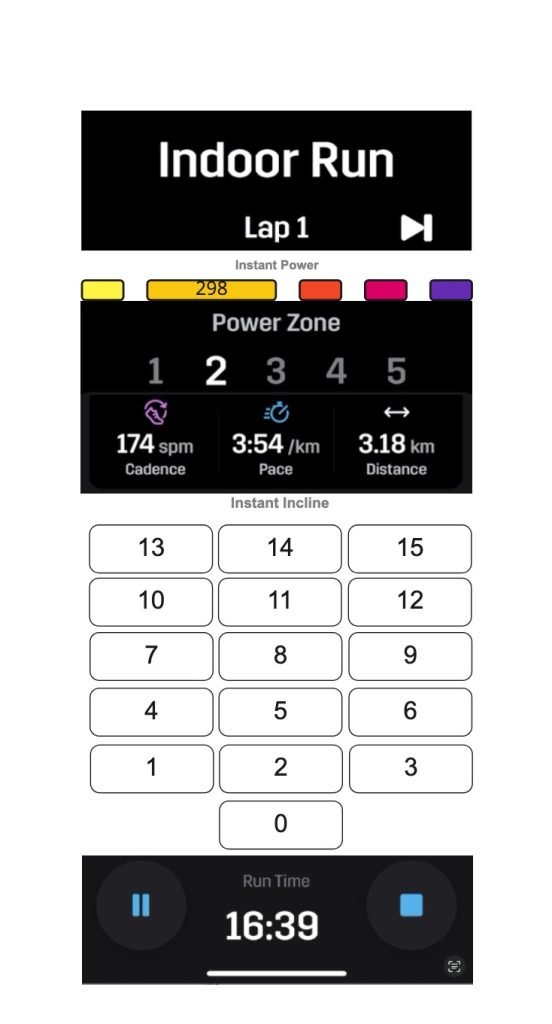
What I want is a swipe-free interface something like this. I know it’s Frankenstein’s monster but I hope it gets the point across.
Another option would be 0-9 + an enter button. So you can go to 12% incline by pressing 1, 2, then enter.
Anywho. That’s me for my very specific feature request in the guise of helping me safely run on a treadmill.
(Cross posted from Stryd Club Forum, since I needed to host the video somewhere.)